
Geoblocking is the practice of showing or hiding online content based on where your internet connection appears to be. It is why a film may appear on a streaming app in Canada, vanish in Germany, and return again when you travel to Japan. Streaming services, sports sites, online stores, and news platforms use it to follow licensing deals, local laws, and pricing rules. Netflix, for example, says it is available in more than 190 countries, but its catalog still changes by location [source: Netflix].
TLDR: Geoblocking checks your location, usually through your IP address, then decides what you can see. A VPN can make you appear to be in another country, while Smart DNS focuses on rerouting location checks for streaming. For example, if a sports match is licensed only in the UK, a viewer in Spain may get a blackout message instead of the stream. In practice, users often try two or three server locations before one works, and sometimes none do.
How geoblocking works
Most geoblocking starts with your IP address. Every device connected to the internet uses one. That address usually points to a country, city, and internet provider. Streaming platforms compare it with their content rules.
If your IP says “France,” the platform shows the French library. If it says “United States,” you get the US version. Simple enough. Annoying? Very.
Platforms may also check other clues:
- GPS location on mobile devices
- Payment method and billing country
- App store region
- Browser language
- DNS requests
- Account history and login patterns
That means changing only one signal does not always work. The service may still spot a mismatch and block playback.

Why streaming platforms use regional restrictions
The big reason is licensing. A studio may sell the same show to different companies in different countries. One platform gets it in Australia. Another gets it in Brazil. A third gets it in the UK.
Sports are even stricter. Broadcast rights are often sold by country, language, or region. That is why live football, boxing, Formula 1, and the Olympics can be hard to watch while traveling.
There are other reasons too:
- Local laws: Some content must be edited or hidden in certain places.
- Age ratings: Rating systems differ by country.
- Pricing: Services may charge different rates by market.
- Advertising: Ads are often sold to local buyers.
The result is a streaming experience that feels oddly unfair. You pay for an account, fly abroad, open the app, and half your watchlist is gone. It drives me crazy that the error message often says almost nothing useful.
How VPNs handle geoblocking
A VPN, or virtual private network, sends your internet traffic through a server in another location. If you connect to a VPN server in the US, websites may see a US IP address instead of your real one.
This can help with privacy on public Wi Fi. It can also make some region locked content appear available. But streaming platforms know this trick well.
They fight back by blocking:
- Known VPN server IP addresses
- Too many users on one IP
- Unusual traffic patterns
- DNS leaks that reveal your real region
- Payment or account data that does not match the VPN country
The catch is that VPN access can be hit or miss. A server may work in the morning and fail at night. You might spend 45 seconds switching servers, clearing the app, and trying again just to watch something you already pay for.
Also, using a VPN to access another region may break a platform’s terms of use. It is not the same as breaking into an account, but the service can still block playback or ask you to turn the VPN off.
How Smart DNS handles geoblocking
Smart DNS works differently. It does not usually encrypt all your traffic. Instead, it reroutes the parts of your connection that reveal your location to certain streaming services.
This can make Smart DNS faster than many VPNs because there is less overhead. That matters for 4K video, live sports, and older smart TVs that do not support VPN apps.
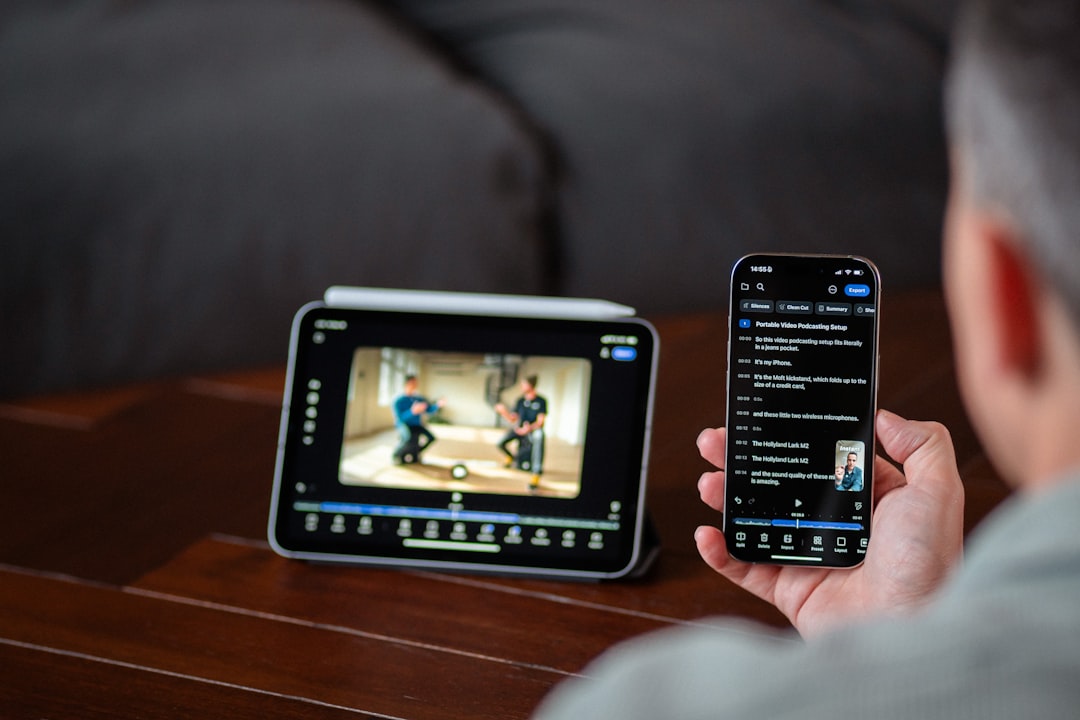
Smart DNS is popular on devices like:
- Smart TVs
- Apple TV
- Game consoles
- Streaming sticks
- Routers
But it has limits. It does not offer the same privacy benefits as a VPN. It may not hide your IP address from every service. It also needs setup, and some providers require you to update your home IP when it changes.
How platforms detect VPNs and Smart DNS
Streaming companies use large blocklists. If an IP belongs to a data center, VPN company, or proxy service, it may get flagged. They also watch for hundreds of accounts connecting from the same address.
Some apps check location at the device level. A phone app may compare GPS with IP location. If your VPN says you are in New York but your phone says Madrid, the app may refuse to play.
Platforms also use content delivery networks, fraud tools, and account signals. Akamai has reported that credential abuse and bot traffic remain major issues for media platforms [source: Akamai]. Those same detection systems can also affect VPN users.
VPN vs Smart DNS: which is better?
Pick based on what you need.
- Choose a VPN if you want privacy, encryption, and safer browsing on public Wi Fi.
- Choose Smart DNS if your main goal is streaming speed on TVs or consoles.
- Use neither if the platform clearly blocks them and you do not want account trouble.
A VPN is more flexible. Smart DNS is often simpler for home entertainment setups. Neither is magic. Streaming services update their blocks often, so expect failures now and then.
What users should do
If you are traveling, check whether your streaming plan supports temporary access abroad. Some services offer travel rules. Others show only the local library.
For privacy, use a trusted VPN with clear policies and well rated apps. Avoid free VPNs that inject ads or sell data. For streaming, choose tools with good device support, fast servers, and quick support responses.
Geoblocking is not going away soon. Rights deals are too valuable. VPNs and Smart DNS can help in some cases, but streaming platforms are getting better at spotting them. The best setup depends on your device, your location, and how much frustration you are willing to tolerate.
